Designing for Complexity, Trust, and Clarity
Role: Lead Product Designer
Company: McKinsey & Company
Focus: Enterprise UX, Permission Systems, AI Overrides, Scalable Design Systems
Introduction — Designing Order in a Hierarchical System
OrgLab is McKinsey’s enterprise platform for diagnosing and designing organizational structures.
Used by consultants, partners, analysts, and clients, it operates in a data-rich, multi-role environment where access, visibility, and integrity are non-negotiable.
When I joined, each workspace had evolved independently—powerful on its own, but disconnected in logic and governance.
As the lead product designer, my challenge was to create a unified, intelligent system that could scale across roles and maintain absolute data trust—without adding cognitive load.
UX Research — Mapping a Role-Based Ecosystem
To untangle the complexity, I conducted field research with consultants, partners, and end clients.
The patterns revealed a system under strain:
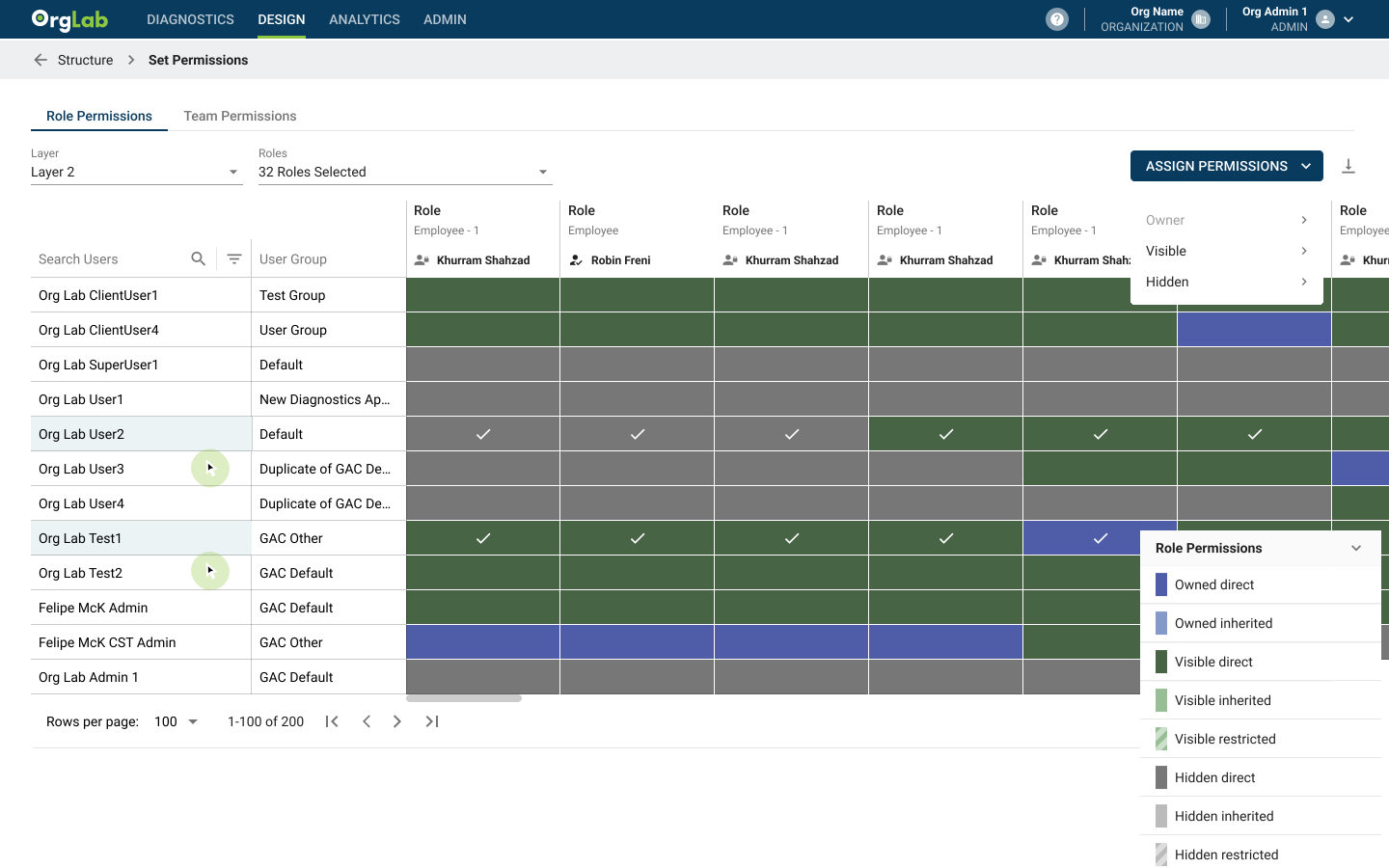
Permission Conflicts: Different roles—Partners, Engagement Managers, Analysts, and Clients—had inconsistent edit rights, creating blind spots and friction.
Fragmented Workflows: Each workspace handled data differently, breaking continuity across the diagnostic, design, and implementation phases.
AI Mapping Errors: The platform’s AI sometimes misclassified employee archetypes, misaligning structure recommendations.
Trust Gap: Users lacked a reliable way to validate or override AI outputs, reducing confidence in automated recommendations.
View Divergence: Executives needed high-level summaries and trend views, while analysts required granular access to the underlying data models. These perspectives had to remain synchronized, permissioned, and traceable.
This research became the foundation for the OrgLab roadmap—anchoring every design decision in data integrity, trust, and clarity.
LEGACY
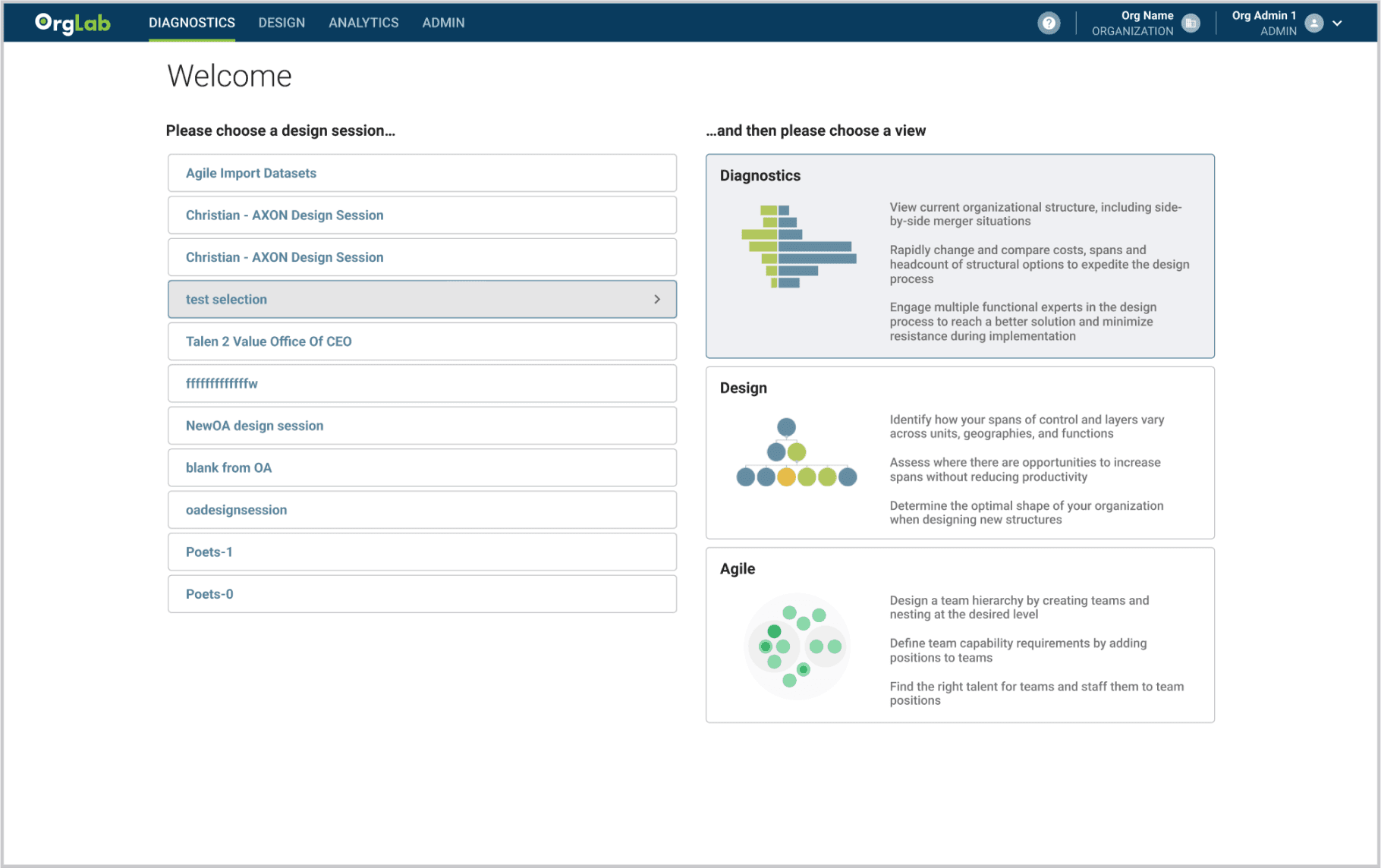
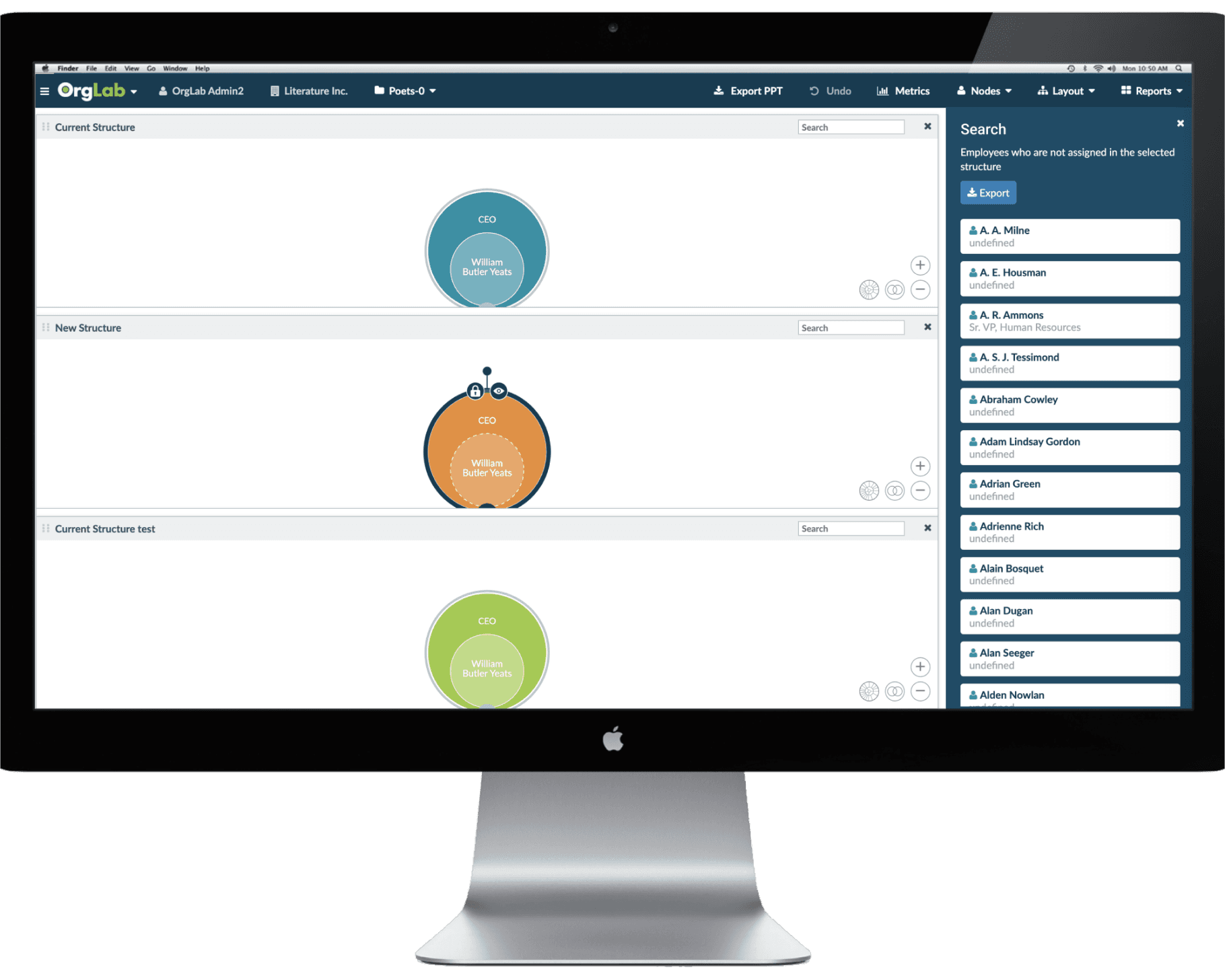
REDESIGN
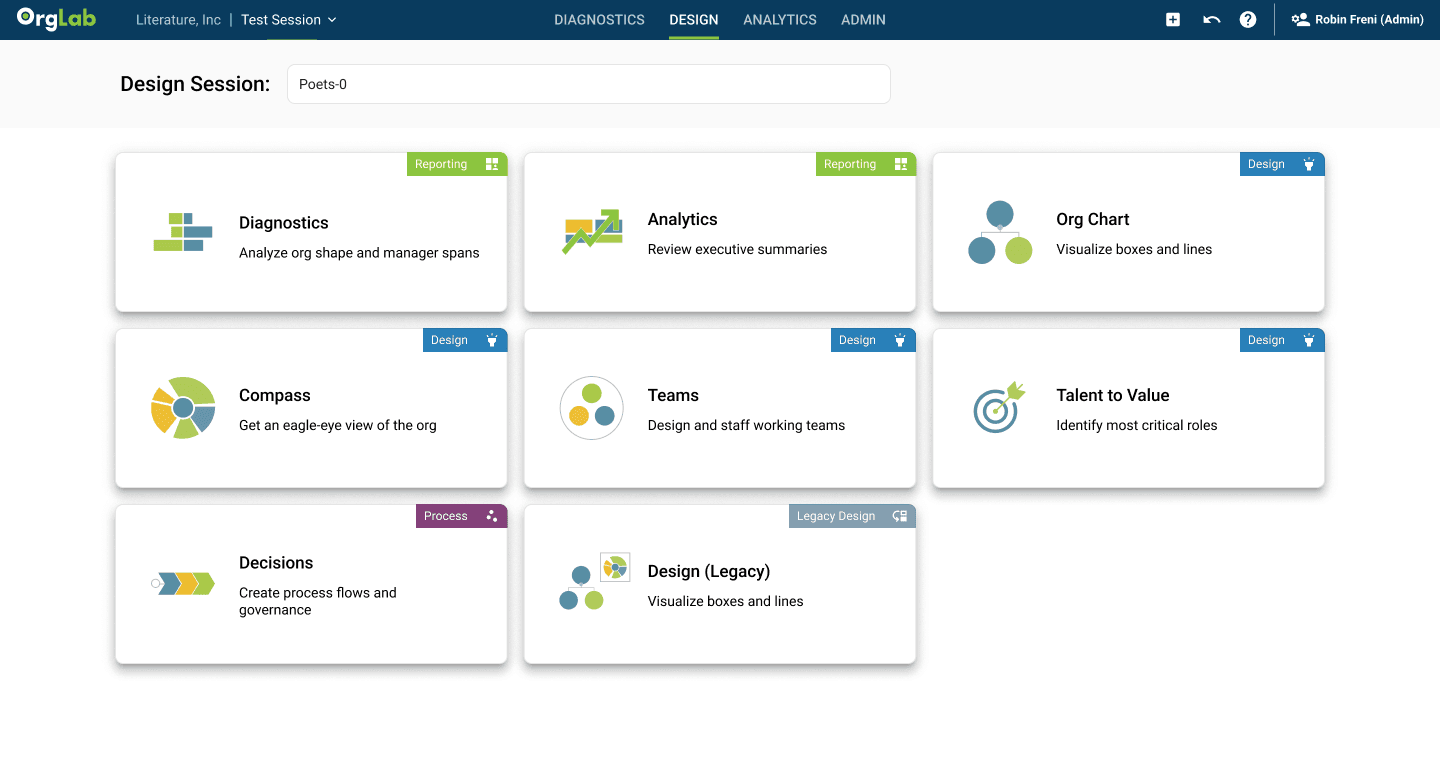
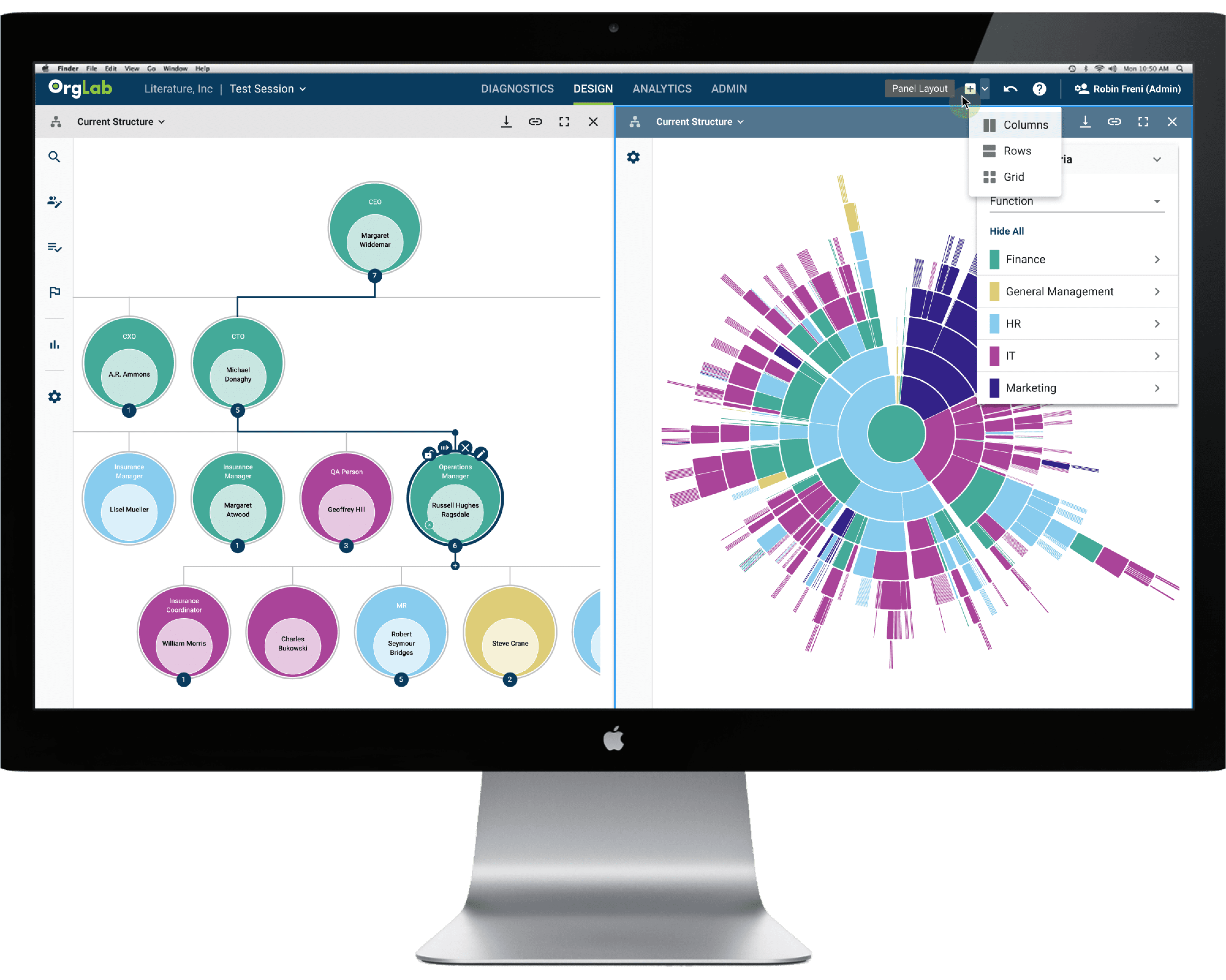
Tools — Designing for Permissioning and Trust
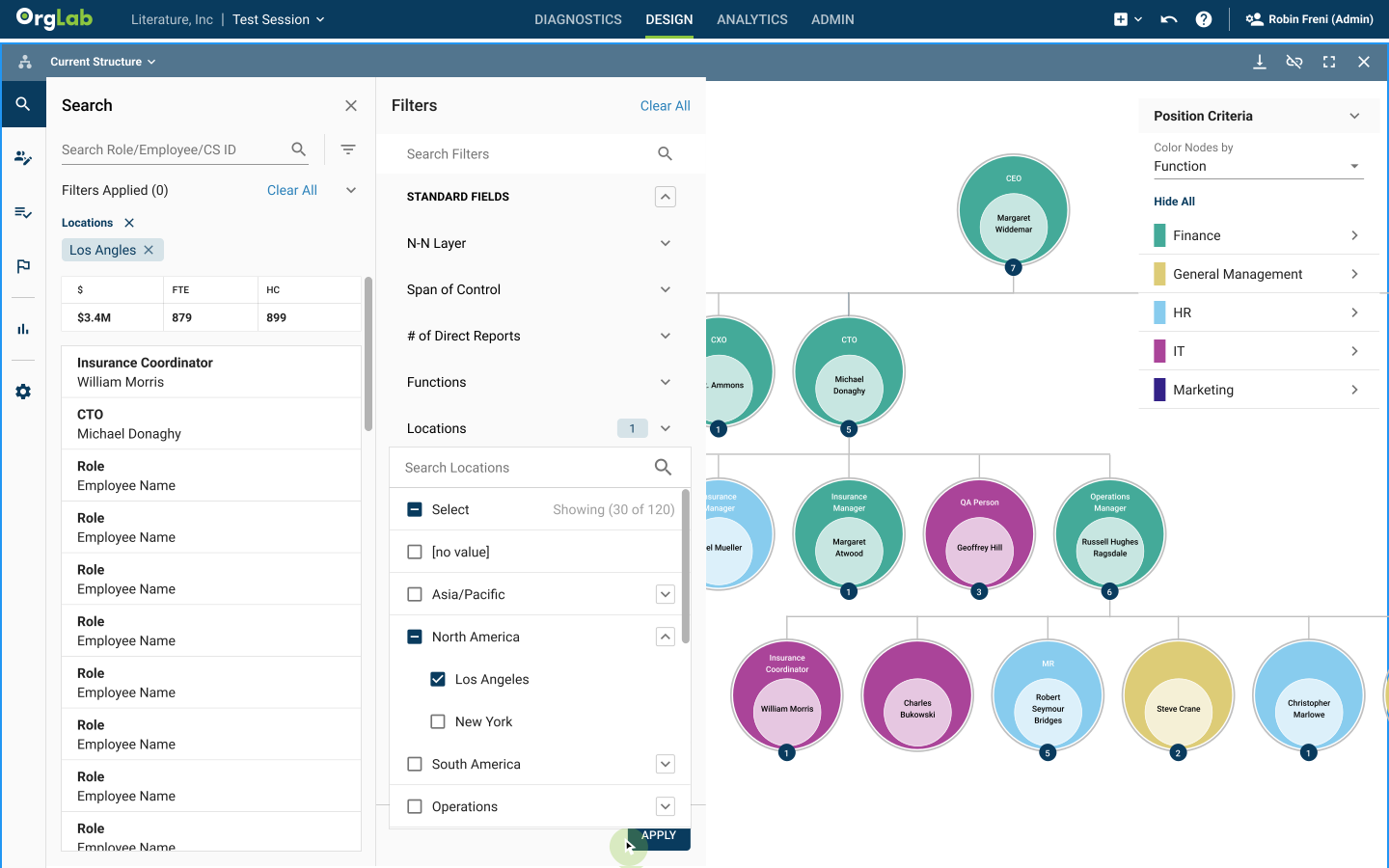
Search & Filter
Problem: Data lived across multiple secured datasets with varying permissions.
Solution: Built a context-aware search engine that filtered results by role, access level, and data type—ensuring that CEOs only saw summary metrics while analysts could deep dive into structures.
Impact: Consultants gained speed and confidence without breaching data controls.
Diagnostic Flags
Problem: AI-generated archetypes occasionally misclassified employee roles, causing downstream errors.
Solution: Introduced diagnostic flags that highlighted anomalies and enabled manual override of AI mappings.
Each override was logged, traceable, and used to retrain future models.
Impact: Established 100% data trust—a critical requirement for enterprise credibility.
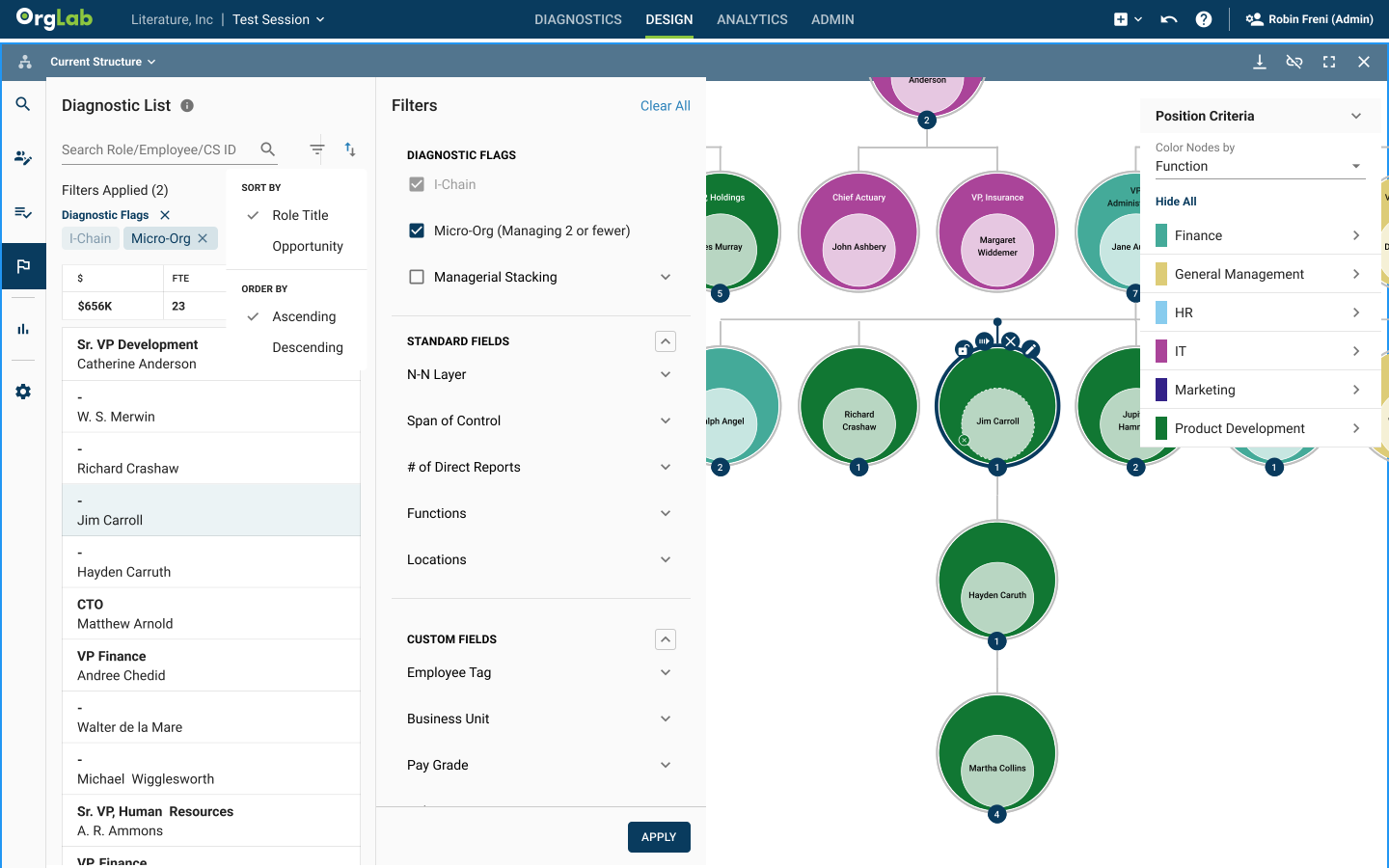
“With flags, I can finally see problem areas before they become problems.”
-Analyst
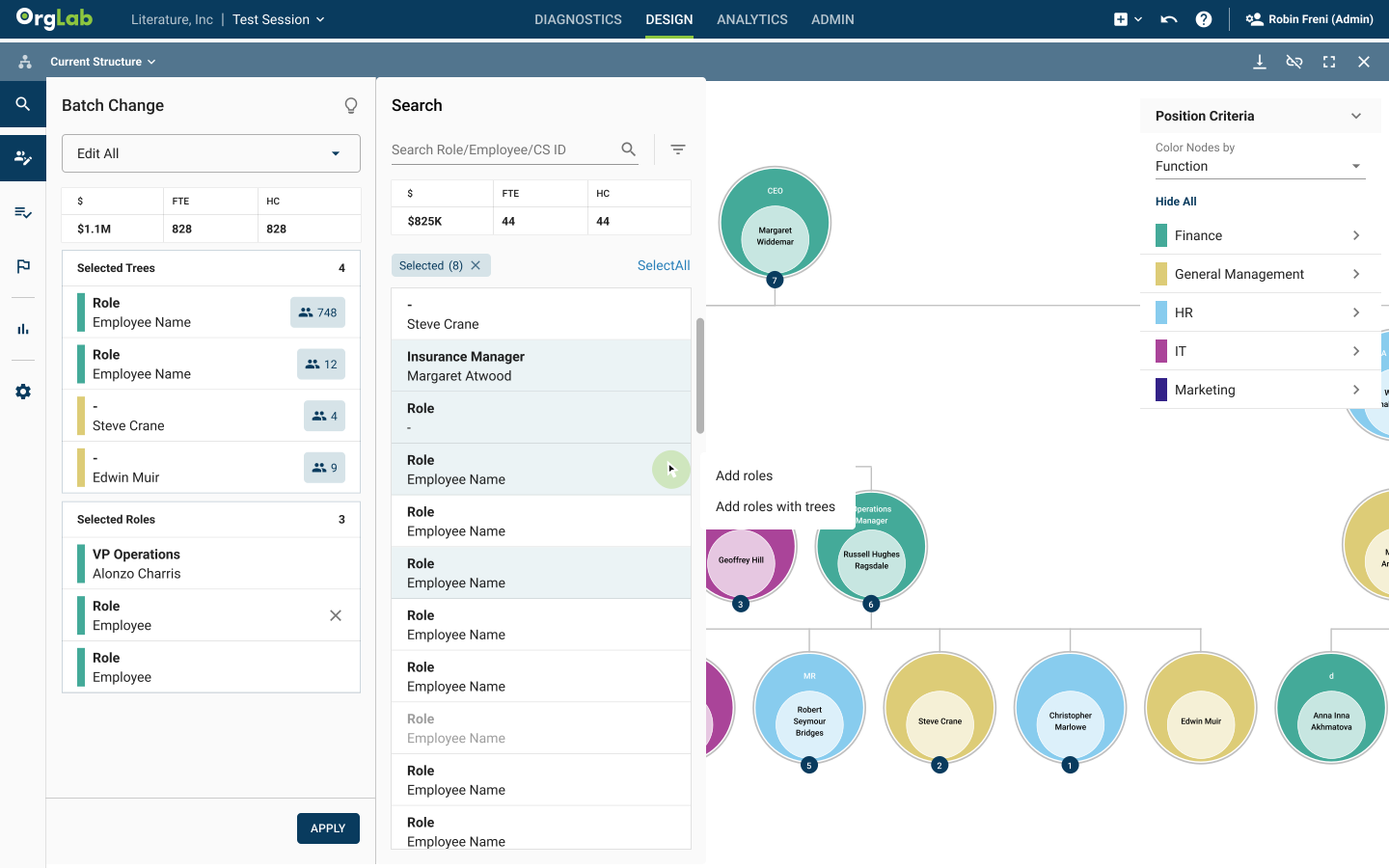
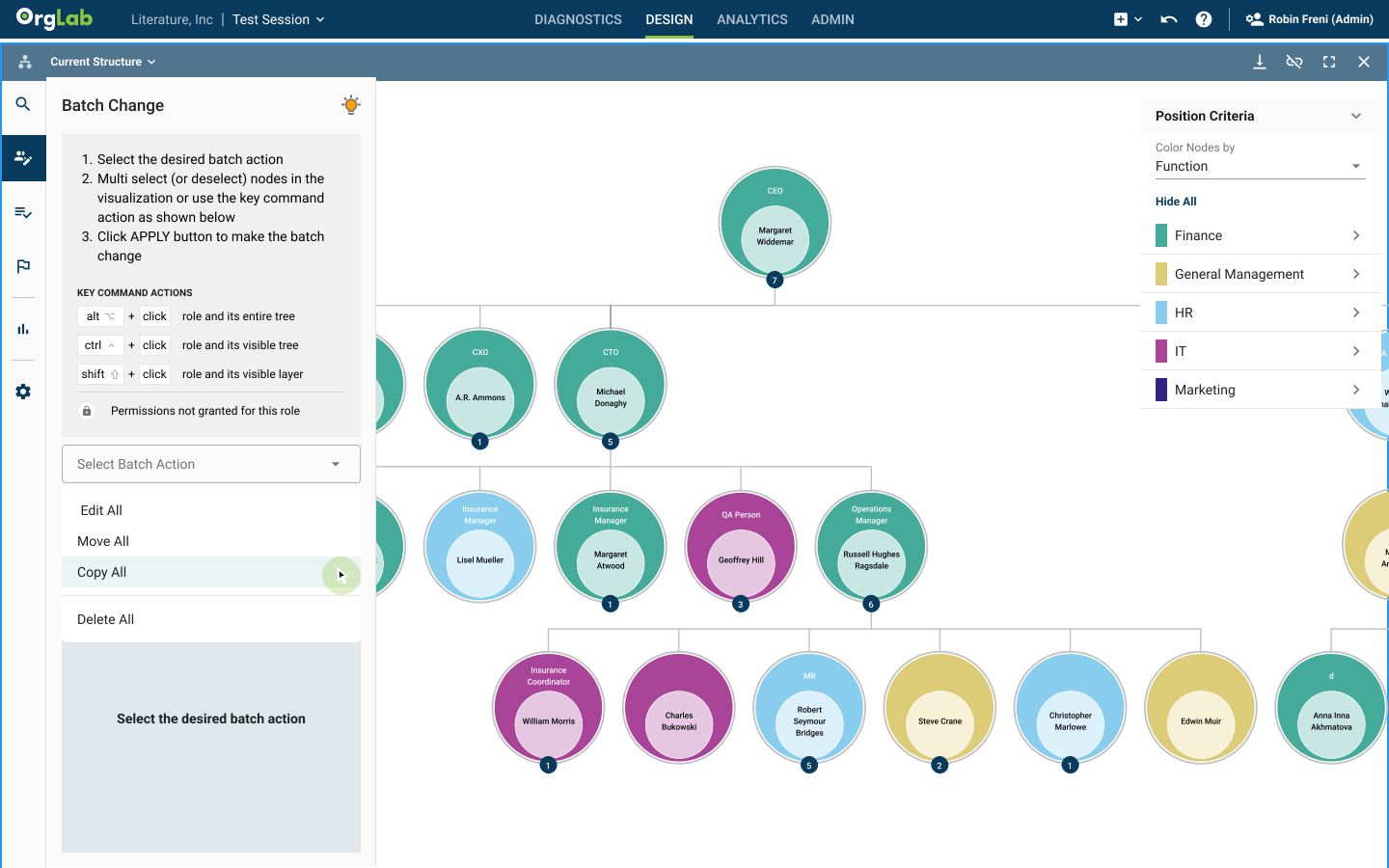
Batch Edit & Initiatives
Problem: Editing multiple records across role tiers risked overwriting protected data.
Solution:
Designed a permission-aware batch editing system that dynamically filtered editable fields based on user level.
Added approval flows for proposed changes and inline alerts for restricted actions.
Impact: Maintained data integrity while cutting redundant work by 70%.
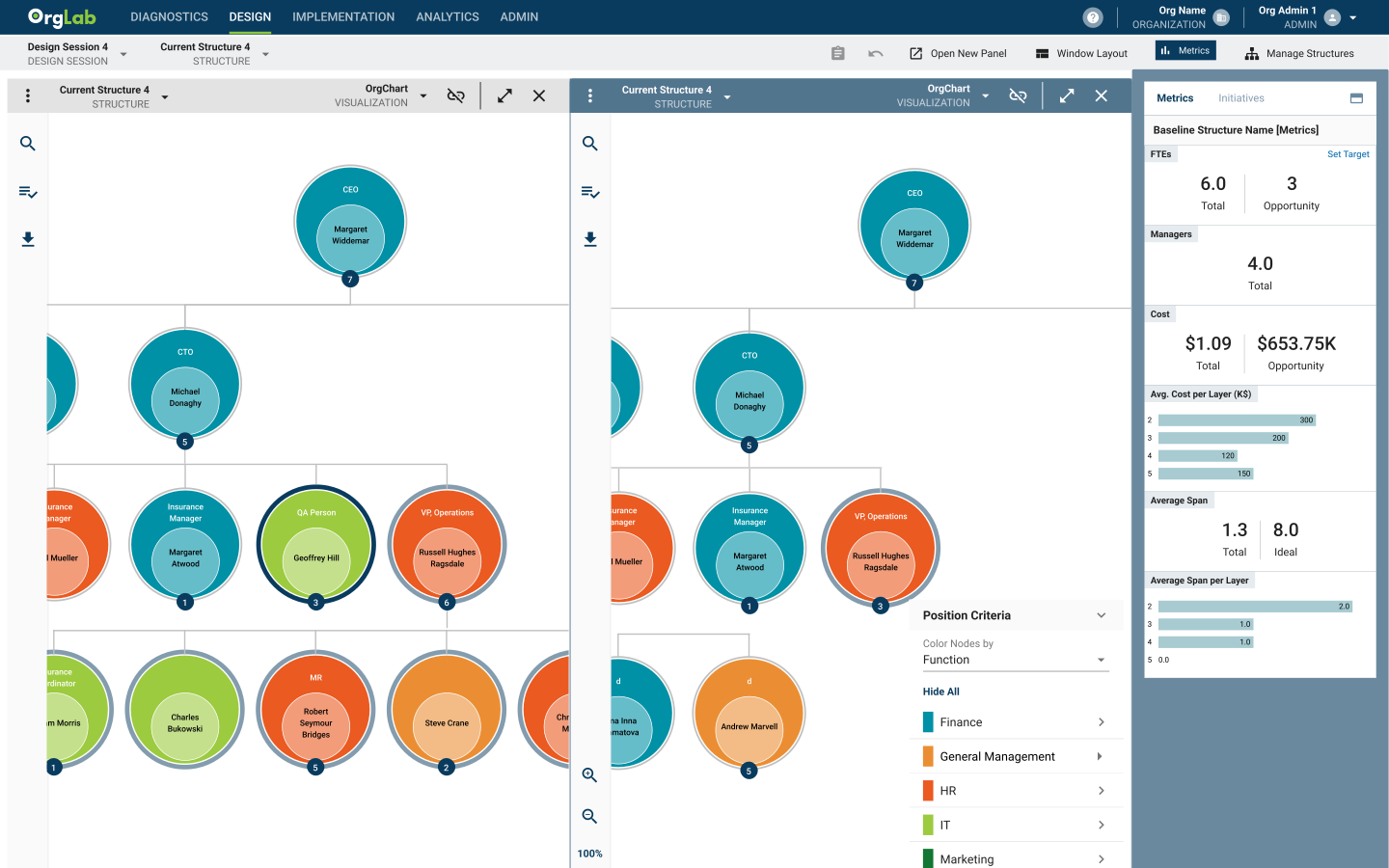
Double Panel Layout
Problem: Users had to switch between diagnostic and design views, losing critical context.
Solution: Introduced a split-panel layout—supporting simultaneous viewing and editing within role boundaries.
Impact: Reduced context switching and improved information retention.
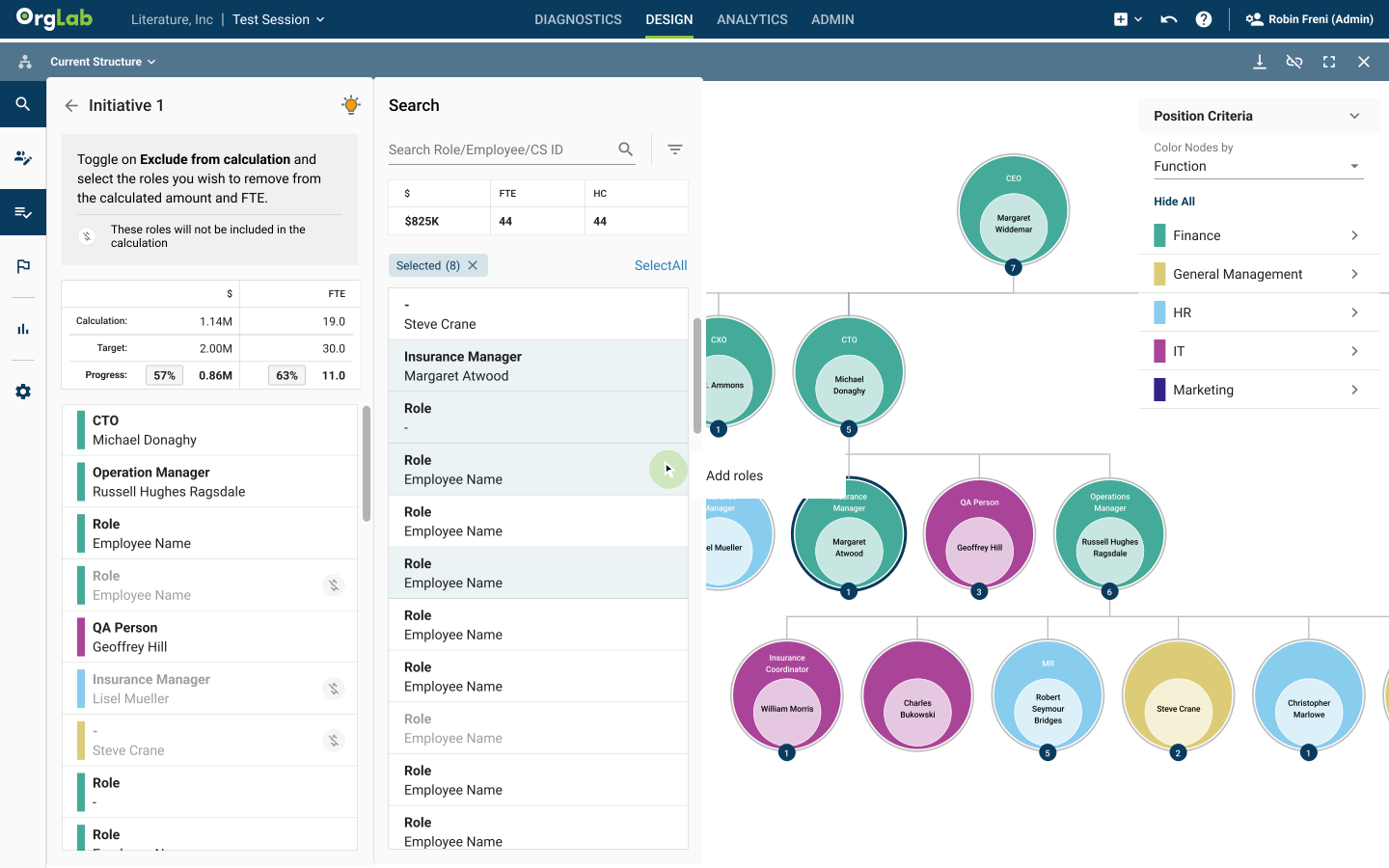
“Instead of spending a whole afternoon updating roles, I can finish in minutes.”
-Admin
Metrics Dashboard — Embedded, Comparative, Decision-Ready
Problem: Consultants needed to evaluate whether proposed org changes actually met initiative goals (e.g., cost reduction or growth) — and they needed to do that in-context, not by exporting to spreadsheets or switching screens.
Solution:
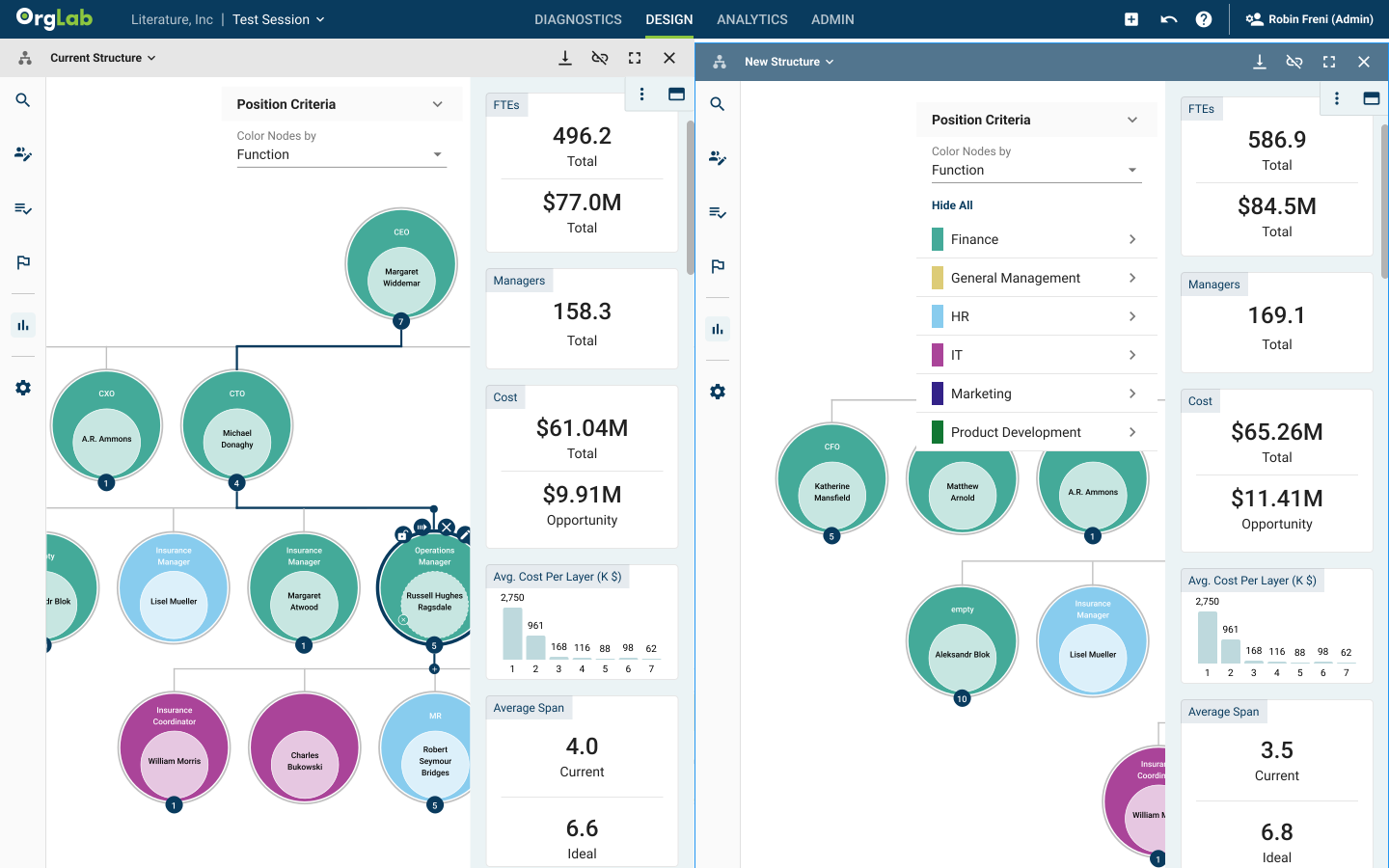
Instead of a separate executive dashboard, we embedded role-aware metrics directly into each panel so consultants could instantly compare two structures (typically Current State vs. Future State) side-by-side. Key features:
Panel-level metrics cards — every panel shows the most relevant KPIs (headcount, cost, span of control, role density, time-to-fill, revenue-per-team, etc.) scoped to that view.
Side-by-side comparison view — toggle or dock two structures (current vs. proposed) and surface delta values and percent changes inline.
Initiative alignment badges — metrics tied to the active initiative (e.g., Cost Cut 12% or Scale Revenue 20%) so designers can see whether a proposed change moves the needle.
Inline scenario simulation — small, immediate recalculations when users edit roles (no page reload), so impact is visible in real time.
Export & approval hooks — quick export of the compared view for client decks and an approval flow to lock preferred scenarios into Implementation.
Impact:
Enabled rapid, in-context decision making — consultants no longer needed to leave the workspace to validate outcomes.
Reduced manual analysis time and errors — the side-by-side deltas made it obvious when a design met (or missed) initiative targets.
Increased stakeholder alignment — visible initiative badges and provenance created shared understanding during workshops.
“We weren’t just designing UI—we were embedding decision logic into the work surface so that truth, trade-offs, and confidence surfaced where people actually worked.”
“For the first time, I can actually see where the structure isn’t working — and fix it without weeks of effort.”
-Senior Analyst
Workspaces — Aligning Data, Roles, and Design
OrgLab’s three core workspaces—Diagnostics, Design, and Implementation—each served a unique purpose. I unified them under one consistent logic and permission model.
Diagnostics Workspace
Simplified visualizations for large-scale org data with hierarchical filtering.
Integrated AI-generated insights alongside human overrides for verification.
Introduced visual states for “AI Suggested” vs. “Human Validated” data.
Design Workspace
Rebuilt as a role-aware modeling environment for scenario planning.
Added editable vs. locked state indicators depending on user level.
Enabled approval workflows that linked design changes to stakeholder validation.
Implementation Workspace
Created auditable timelines of approved structural changes.
Ensured downstream reports respected data visibility rules per audience (executive vs. team level).
Added export safeguards to prevent sensitive internal structures from leaving the system.
“Designing the workspaces meant designing governance—ensuring the right person had the right view, at the right time, with the right authority.”
GTM — From Fragmented Tools to a Governed Enterprise Suite
After stabilizing workflows, I led the framework and UI redesign of the entire OrgLab ecosystem—creating a scalable system that balanced intelligence, governance, and usability.
System Framework
Mapped every role, workspace, and permission tier into a unified architecture.
This framework defined interaction rules, access logic, and view inheritance across the product suite.
Information Architecture Overhaul
Reorganized the global navigation around the logical consulting process:
Diagnostics → Design → Implementation.
Reinforced the flow of insight → strategy → execution, reducing friction and aligning with how clients think.
Design System & Permission States
Created a design system where each component encoded its role behavior: view-only, editable, restricted.
Unified typography, color logic, and state hierarchies for rapid scaling across products.
Reduced release errors and ensured compliance consistency.
Onboarding & Contextual Guidance
Developed role-based onboarding and smart tooltips that adapted by user level.
Added feedback notifications explaining flagged data or restricted actions.
Improved transparency and user confidence in system logic.
Panel System
Enabled multi-tasking within permission bounds, allowing consultants to cross-reference diagnostics and design scenarios without losing their current state or violating access rules.
Additional GTM Initiatives
Established continuous feedback loops between consultants and the design team.
Created training and documentation libraries for cross-functional adoption.
Conducted accessibility and compliance audits to meet enterprise and global client standards.
Future-proofed the system for cross-suite integration with Decision Lab.
Impact
3x
growth in user adoption and reduced customer churn.
20%
improvement in data accuracy, enabling more effective analysis.
10x
increase in workflow efficiency and enhanced user engagement.
Reflection
Designing OrgLab meant designing for hierarchy, integrity, and intelligence—a system where visibility equaled responsibility.
As lead designer, I balanced user empathy with technical rigor, bridging design, AI, and compliance teams to ensure that trust and clarity scaled together.